
Ranking wasn’t the problem. The listing just wasn’t selling to the people already landing on it.
Mudassir Fayyaz, Founder, Tabaruk Commerce
A home wellness product priced around $130 was sitting at #1 organic for its main keyword on Amazon.
The keyword wasn’t in the title.
The one feature no competitor had wasn’t in the title or the bullets either. The most common reason for its 1- and 2-star reviews was a comfort issue the listing could have answered before anyone bought. And when I listed every question shoppers were asking Amazon’s AI assistant, Rufus, 6 of the 16 had no answer anywhere on the page.
Ranking wasn’t the problem. The listing just wasn’t selling to the people already landing on it.
This playbook is the exact process I used to rebuild it: the data I pull, how I read it, and the formula I use for every line of copy. You can run it on your own listing this week.
Key takeaways
- A listing now has two readers: the shopper on their phone and Rufus, Amazon’s AI assistant. Write for both.
- Use 6 data sources, not just a keyword tool. The useful findings come from where they agree.
- Rank keywords by purchases in Search Query Performance, not by search volume.
- Every bullet does three jobs: carries a keyword cluster, answers an objection, removes a reason to hesitate.
- Screen for implied health claims before you write, and never copy one marketplace’s listing to another.
Jump to: Why listings are out of date · The 6 data sources · Step 1: Revenue keywords · Step 2: Competitors · Step 3: Reviews · Step 4: Rufus questions · Step 5: Compliance · Step 6: Write the listing · Step 7: Catalog · Step 8: Measure · Checklist · FAQ
Why most Amazon listings are out of date right now
Three things changed how Amazon listings work, and most catalogs haven’t caught up:
- Titles are now 75 characters. Since July 27, 2026, Amazon caps titles at 75 characters on most marketplaces (US, UK, Canada, EU, Australia). If yours is longer, Amazon’s AI can rewrite it for you, and it doesn’t know your keywords, your compliance rules or your brand voice. I covered how I rewrite titles in my title optimization system.
- Item Highlights is a new field. You get 125 searchable characters between the title and the bullets. Leave it empty and you’re giving away indexable space.
- Rufus answers shoppers’ questions using your listing. Shoppers now ask “Is it noisy?” or “Will it fit my legs?” and Rufus answers from your title, bullets, description, A+ content and reviews. If the answer isn’t on the page, Rufus pulls it from reviews, including the angry ones.
So a listing now has two readers: the shopper skimming on their phone, and an AI deciding what to tell them. This process writes for both.
The 6 data sources for Amazon listing optimization
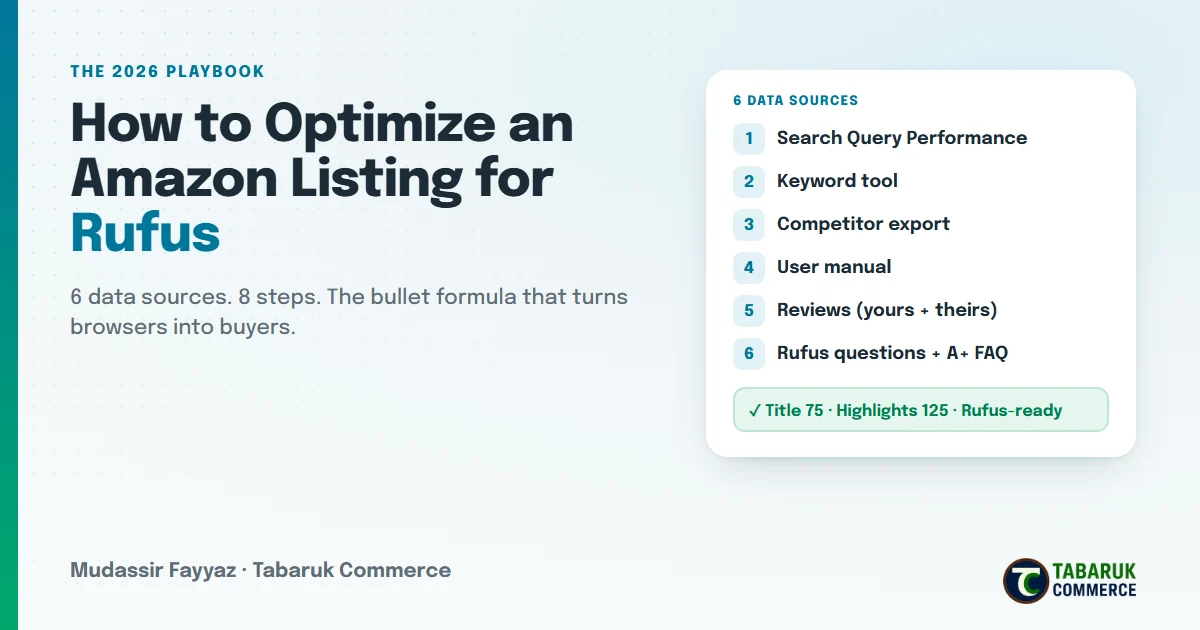
Most listing work runs on one source, usually a keyword tool. Each source below answers a different question, and the useful findings come from where they agree.
| # | Source | The question it answers |
|---|---|---|
| 1 | Search Query Performance (Brand Analytics) | Which searches bring this product clicks and sales? |
| 2 | Keyword tool (Helium 10 Cerebro, Data Dive) | What else are shoppers searching, and where do we rank? |
| 3 | Competitor export (Helium 10 Xray) + top competitor pages | Who are we up against, at what price, saying what? |
| 4 | The product’s user manual | What does the product actually do, and what are we not allowed to say? |
| 5 | Reviews (yours + competitors’) | What do buyers love, and what makes them return it? |
| 6 | Rufus questions + A+ FAQ | What do shoppers ask before buying? |
One rule: the user manual is the source of truth for specs. When your product page, your US listing and your manual disagree, the manual wins. I’ve found weight capacities, power ratings and dimensions wrong on live listings more often than you’d expect.
Step 1: Find your revenue keywords (not your volume keywords)
Search volume tells you what people type. Search Query Performance (SQP) tells you what people type and then buy from you. Start there.
From the SQP export, for each query, work out:
- Your click share: your clicks ÷ total clicks for that query
- Your conversion rate: your purchases ÷ your clicks
- Price gap: the median price buyers paid vs. your price
Then sort by purchases, not volume.
What I found in the case above: one keyword brought in the most clicks of any query, at a 22% click share, and searches around that same term family brought in a third of all clicks and almost half of all purchases. That term was missing from the title. Meanwhile, the listing was getting impressions on huge generic searches (“vibration plate”, “weight loss”, “foot massager”) and selling nothing from them.
Then give every keyword a home:
| Keyword type | Where it goes |
|---|---|
| Top revenue query | Title |
| Category term + key specs | Item Highlights |
| Feature and use-case terms | Bullets |
| Long tail, misspellings, other languages | Backend search terms |
| Competitor brand names | PPC only, never in copy or backend |
| Medical or health-condition terms | Nowhere, see Step 5 |
Canada tip: check for French-language queries in your SQP. On Amazon.ca I keep finding real French-Canadian search demand with almost no competing listings targeting it.
Step 2: Read the competition for gaps, not for copy
Pull a competitor export for your main keyword, then clean it. Keyword tools match on words, so a search like “chi machine” can return hair straighteners and sewing machines. In my case, about two-thirds of the export was off-niche.
For the real competitors, note:
- Price and rating. Where do you sit?
- Specs. Speeds, power, timer, capacity, what’s in the box.
- The feature only you have. This is your title differentiator.
- The claims everyone makes. If every competitor says “improves circulation”, that isn’t a signal to copy them. In most marketplaces it’s a health claim that can get the listing suppressed. They’re carrying the risk; you don’t need to.
Case finding: the product was the only one in its niche with two built-in extras, at under half the price of the category leader. Neither fact appeared anywhere in the title or bullets.
Step 3: Mine reviews for objections
Read reviews looking for what stops people buying and what makes them unhappy afterwards. Read your competitors’ reviews too. A complaint that shows up on both your product and theirs is a category-wide objection, and the first listing to answer it wins.
Build a simple table:
| Theme | + / − | Evidence | Listing fix | Team fix |
|---|---|---|---|---|
| Part X feels hard | Negative | 4 reviews, also on top competitor | Bullet: “Too firm? Soft pads included.” | Product team: softer material |
| Default setting too fast | Negative | 1★ + a top 5★ review asking for change | Bullet: “Starts at 8, tap down to 1” | Insert card in the box |
| Great for winding down at night | Positive | Amazon review summary + top review | Benefit language in bullet 1 | — |
Two tips:
- Use Amazon’s “Customers say” summary and tag counts. They show how often each theme comes up across all reviews, not just the ones you read.
- Not every fix is a copy fix. Some go to customer service (replacements for dead-on-arrival units), product development (a part redesign) or the brand (a broken support link in the manual). Log them anyway.
Step 4: Map every Rufus question
This is how you optimize an Amazon listing for Rufus: you make sure the answer to every question shoppers ask is written on your page, in plain words. Collect every question shoppers see on your page and your competitors’ pages:
- The Rufus suggestion chips (“Is it easy to use?”, “Is it portable?”)
- Your A+ FAQ module
- Questions hiding in reviews (“Will it fit if I’m short?”)
Then score each one:
| Status | Meaning | What to do |
|---|---|---|
| Covered | The answer is clearly on the page | Nothing |
| Gap | You don’t have the data (noise level, part dimensions, fit range) | Get the number from the brand, add it |
| Compliance | You can’t legally answer it (“Does it help with blood circulation?”) | Describe how the product works, never the health outcome |
In the case above, 10 of 16 questions were answerable once rewritten, 3 needed data from the brand, and 3 could only be answered with mechanism language.
Step 5: Run the compliance screen before you write
Wellness, fitness, beauty and supplement listings get suppressed for implied health claims, not just obvious ones. In Canada, Health Canada classifies a product by how it’s described. “Helps with joint pain” can turn a fitness gadget into an unlicensed medical device. (If it’s already happened to you, here’s how I handle a search-suppressed listing.)
Never in customer-facing copy: cure, treat, heal, pain relief, reduces inflammation, improves circulation, detox, named conditions (arthritis, sciatica, neuropathy), “clinically proven” without proof on file, “doctor recommended”.
Gray area, needs sign-off: weight loss, fat burning, lymphatic drainage, recovery, anti-aging.
The skill is translation: a real purchase trigger becomes compliant language that still reaches the same buyer.
| What buyers want | What you can write |
|---|---|
| “Improves circulation” | “Rocks your legs in a steady, walking-stride rhythm” |
| “Pain relief” | “Soothing calf massage”, “designed for comfort” |
| “Weight loss” | “A low-impact way to keep moving” |
| “Reduces stress” | “Helps you unwind at the end of the day” |
And one rule I never break: don’t copy one marketplace’s listing to another. US copy written under US rules is often non-compliant in Canada, the UK or Australia.
Step 6: Write the listing
Title (75 characters)
Formula: Brand + Product name + Top revenue keyword + Benefit or use phrase + Your one differentiator
- Put the keyword phrase in the order shoppers type it.
- The benefit phrase should answer a top Rufus question (e.g. “Lie-Down” answers “Can it be used while lying down?”).
- No “best”, no “#1”, no warranty, no symbols, no word more than twice.
For a worked example of a title rewrite under the new limit, see my 75-character title case study.
Item Highlights (125 characters)
Comma-separated fragments, not sentences. Lead with the category term, then the specs and accessories that didn’t fit in the title.
Category Term, 12 Speeds, Key Feature + Key Feature, Remote, 10–25 Min Timer, 2 Accessories Included
Bullet points (keep each under 250 characters)
This is where most listings lose the sale. Long bullets don’t get read on mobile, and generic bullets don’t answer anything.
Every bullet does three jobs:
- Carries a keyword cluster. Spread your terms across all five bullets; don’t cram them into one.
- Answers one objection from your review and Rufus research.
- Removes one reason to hesitate. How to start, fit, setup, storage, power, warranty.
Format: SHORT CAPS HEADER – plain, human copy.
The question-and-answer style works well for objection bullets: the shopper sees their own worry, then the answer, in under five seconds. Rufus can pull from it directly.
A five-bullet structure that works for most products:
| Bullet | Job |
|---|---|
| 1 | What it is + how you use it (main keyword) |
| 2 | Settings and control + “how to start” guidance |
| 3 | The differentiator competitors don’t have |
| 4 | Comfort, fit and objection answers |
| 5 | Setup, size, storage, power, warranty (risk reversal) |
Description
Plain text that Rufus can read: how it’s used, comfort tips, what’s in the box, specs, safety notes from the manual. Answer the questions that didn’t fit in the bullets (e.g. “Can I use it sitting down?”).
Backend search terms (under 250 bytes)
- Don’t repeat words already in the title.
- No competitor brand names, no health terms.
- Include: legacy queries from your old title (so you don’t lose them), misspellings you see in SQP, and other-language terms (French on Amazon.ca).
More detail in my guide to Amazon backend search terms.
Step 7: Fix the catalog, not just the copy
While you’re in there, check the parts of the listing nobody looks at:
- Title over 75 characters?
- Item Highlights empty?
- Browse category matches your other marketplaces?
- Attributes correct? (I found “batteries required” on a plug-in product.)
- Specs match the manual?
- A+ FAQ answers free of health claims?
A wrong category or attribute can quietly hold back rankings no matter how good the copy is.
Step 8: Measure it
Before you publish, write down your baseline from SQP:
- Click share on your top 3–5 queries
- Your conversion rate (purchases ÷ clicks)
- Star rating
Check again after a full month of data. Copy changes take a few weeks to show in rankings; conversion usually moves first. If traffic is fine but sales aren’t, read why it’s usually a conversion problem, not a traffic problem.
The Amazon listing optimization checklist
Research
- SQP: top queries ranked by purchases, not volume
- Keyword tool: rank and volume for the core term family
- Competitor export cleaned to real competitors only
- User manual: specs, in-box contents, warnings
- Reviews: yours + top 2 competitors, objections logged
- Rufus chips + A+ FAQ questions collected
Analysis
- Top revenue keyword: is it in the title?
- Your one unique feature identified
- Top 3 review objections identified
- Every Rufus question scored Covered / Gap / Compliance
- Health and medical claims screened out
Writing
- Title ≤ 75 characters
- Item Highlights ≤ 125 characters, comma fragments
- 5 bullets under 250 characters, each with keyword + objection + friction
- Description answers the leftover questions
- Backend under 250 bytes, no repeats, no competitor brands
After
- Catalog attributes and category fixed
- Baseline KPIs recorded
- Review again after 30 days
Frequently asked questions
How do I optimize my Amazon listing for Rufus?
Collect every question shoppers ask on your page and your competitors’ pages (Rufus suggestion chips, your A+ FAQ, questions inside reviews), then make sure each answer is written plainly in your bullets, description or A+ content. If the answer isn’t on the page, Rufus takes it from reviews, including negative ones.
What is the Amazon title character limit in 2026?
Since July 27, 2026, Amazon limits titles to 75 characters on most marketplaces, including the US, UK, Canada, the EU and Australia. If your title is longer, Amazon’s AI may shorten it for you.
What are Amazon Item Highlights?
Item Highlights is a newer listing field with 125 searchable characters that sits between the title and the bullet points. Use comma-separated fragments: the category term first, then the specs and accessories that didn’t fit in the title.
How long should Amazon bullet points be?
Keep each bullet under about 250 characters so it’s actually read on mobile. Each bullet should carry a keyword cluster, answer one buyer objection and remove one reason to hesitate.
Should I use search volume or Search Query Performance to choose keywords?
Start with Search Query Performance in Brand Analytics. It shows which searches bring your product clicks and purchases, so you can rank keywords by revenue rather than by how often people type them.
Want me to run this on your listing?
I run this full audit (all 6 sources, a 10-tab workbook, and copy-ready title, Item Highlights and bullets) for a small number of brands each month. It’s the best fit if you sell on Amazon in the US, Canada, UK, EU or Australia, have Brand Registry with access to Brand Analytics, and want your existing traffic to convert better.
Request your free Amazon audit, or see how we handle listing optimization and conversion rate lift as a service.

Mudassir Fayyaz is the founder of Tabaruk Commerce and an Amazon growth strategist. He manages 1P and 3P Amazon accounts across the US, Canada, UK, Germany, UAE, and Australia, with a focus on turning ad spend into net profit. Connect on LinkedIn.