
A listing-change log tied to traffic and conversion is a decision system.
Mudassir Fayyaz, Founder, Tabaruk Commerce
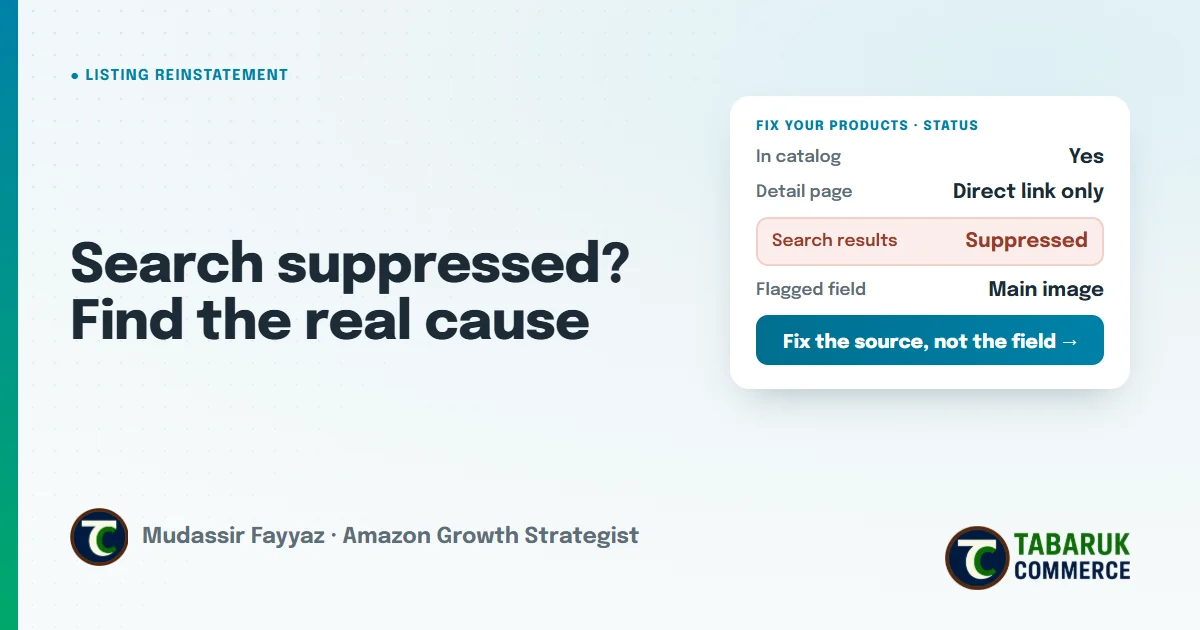
An Amazon search suppressed listing is one of the quietest ways to lose sales. The product still exists in your catalog. Your inventory may still be sitting in a fulfillment center. You can even open the detail page with a direct link. But shoppers searching on Amazon can’t find it, so for most of your traffic, the product doesn’t exist.
Most sellers react by fixing whatever Amazon’s message mentions, as fast as possible. Sometimes that works. Often it doesn’t, because the message describes the symptom, not the cause. And a listing that’s patched instead of fixed tends to get suppressed again.
This guide explains what “search suppressed” means, where to find the real reason, the most common causes, and how to fix the listing so it stays live.
Key takeaways
- Search suppressed means the listing exists but is hidden from Amazon search results.
- Amazon tells you which field or rule failed. That’s the starting point, not the full diagnosis.
- Most causes are data problems: images, titles, missing attributes, category or pricing.
- Fix the source of the data (flat file, feed or tool), not just the field in Seller Central.
- A suppression is a signal that your listing data isn’t under control. Treat it as one.
What does “search suppressed” mean on Amazon?
A search suppressed listing is still in your catalog, but Amazon has removed it from search results because it doesn’t meet a listing requirement. It’s different from a listing that’s been deleted or a product that’s been removed for a policy reason. Nothing is gone. It’s just invisible where it matters most.
That distinction matters, because it tells you what kind of fix you need. Search suppression is usually a content or completeness problem, and in most cases you can fix it yourself by correcting the listing data. You don’t normally need an appeal.
It also explains why suppressions hurt more than they look. Organic rank depends on sales history. Every day a listing can’t be found is a day of sales it doesn’t record, and a day your competitors collect the orders you would have had.
Where to find search suppressed listings
In Seller Central, open Inventory, then Manage All Inventory, and look for the filter or tool for search suppressed and inactive listings. Amazon also shows affected products on its Fix Your Products page, with the issue it has found for each one.
For every suppressed listing, Amazon names the field or rule that wasn’t met. Read it carefully. Then check two more things before you change anything:
- When did it start? Check whether anything changed around that date: a listing edit, a feed upload, a tool update, a category change.
- Is it one ASIN or many? One suppressed listing is usually a single data problem. Many at once usually points to a system: a template, a feed, or a tool that’s overwriting your data.
That second question is the one most sellers skip. If twenty listings were suppressed on the same day, fixing them one by one treats twenty symptoms of one cause.
The most common causes of search suppression
Main image problems
The main image is one of the most common triggers. A missing main image, a background that isn’t pure white, added text, badges or graphics, or props that aren’t included in the purchase can all cause problems. We cover the rules and what’s allowed in our guide to Amazon main image hacks, including the popular “hacks” that put listings at risk.
Title issues
Titles that break Amazon’s title requirements can trigger suppression: too long for the category, promotional phrases, restricted special characters, or the same word repeated too many times. Titles now have a much tighter character budget, which is why we treat them as a system, as explained in our title optimization guide.
Missing required attributes
Every category has required fields. If brand, product type, size, color, material, or another required attribute is missing or invalid, the listing can be suppressed. This often happens after Amazon updates the requirements for a category, so a listing that was fine last month isn’t fine today.
Wrong category or product type
A product listed under the wrong product type will be checked against the wrong set of required fields. The listing can look complete to you and still fail Amazon’s check.
Pricing problems
A missing price, or a price Amazon’s systems flag as a potential error, can take an offer out of search or deactivate it. Pricing-error deactivations are usually reported as inactive rather than search suppressed, but they need the same diagnosis: check whether the price was set on purpose and whether your minimum and maximum price settings are correct.
How to fix a search suppressed listing
Fixing the field is the easy part. Keeping the listing live is the real job. We work in this order:
- Read the notice and the data together. Compare what Amazon says is missing or wrong with what’s actually on the listing, in the backend as well as on the detail page.
- Find where the data came from. Was it typed in Seller Central, uploaded in a flat file, or pushed by a tool? If you fix the field in Seller Central but the next feed overwrites it, the suppression comes back.
- Fix the cause at the source. Correct the template, the feed or the tool setting, then update the listing.
- Confirm it’s back in search. Search for the product the way a shopper would, not just by ASIN, and confirm the status has cleared in Seller Central.
- Log the change. Note what was wrong, what you changed and when. If traffic or conversion moves afterwards, you’ll know why.
That last step sounds small. It isn’t. Without a record, every future drop starts from guesswork.
When a suppression isn’t just a data problem
Most search suppressions are content problems you can fix yourself. Some aren’t. If the notice mentions a product policy, a restricted product, safety documentation or compliance information, the fix may require documents or an appeal, not just an edit.
In those cases, the order matters even more. Understand exactly which policy applies and what Amazon is asking for before you submit anything. A rushed submission that doesn’t answer Amazon’s actual question usually just adds another round of waiting.
How to prevent search suppression
- Monitor listings daily, not when sales drop. A suppression you catch in hours costs far less than one you find a week later. That’s the reason we built daily PDP health monitoring for every SKU.
- Keep one source of truth for listing data. When content lives in several tools and spreadsheets, they eventually overwrite each other.
- Check category requirements when Amazon updates them. New required attributes are a common cause of sudden, catalog-wide suppressions.
- Review images and titles against the current style guide before every relaunch or refresh.
A suppression isn’t the problem. It’s the evidence that listing data isn’t being controlled. Fix the control and you fix most of the suppressions that would have followed.
Many suppressions on wellness and fitness products start with an implied health claim. The compliance screen I run before writing any copy is Step 5 of my listing optimization playbook.
Amazon search suppressed FAQs
What does search suppressed mean on Amazon?
It means the listing is still in your catalog, but Amazon has hidden it from search results because it doesn’t meet a listing requirement, such as a missing attribute, an image issue or a title problem.
Can shoppers still buy a search suppressed product?
A search suppressed product won’t appear in Amazon search results, so most shoppers won’t find it. The detail page may still open from a direct link, but you lose almost all of your organic traffic until it’s fixed.
How long does it take to fix a search suppressed listing?
If the cause is a data problem and you fix it at the source, the listing usually returns once Amazon processes the update. If documents or an appeal are needed, it depends on Amazon’s review.
Why does my listing keep getting suppressed again?
Usually because the fix was made in one place while the data comes from another. A flat file, feed or third-party tool can overwrite your correction on the next update.
Do I need to appeal a search suppressed listing?
Most of the time, no. Content and completeness issues are fixed by correcting the listing. Product policy or restricted-product issues can require documents or an appeal.
Need help getting a listing back in search?
We diagnose and fix suppressed, inactive and blocked listings in our Amazon listing reinstatement service, and we always tell you honestly what can be fixed. If you’d like a full review of your catalog’s health, request a free Amazon account audit.

Mudassir Fayyaz is the founder of Tabaruk Commerce and an Amazon growth strategist. He manages 1P and 3P Amazon accounts across the US, Canada, UK, Germany, UAE, and Australia, with a focus on turning ad spend into net profit. Connect on LinkedIn.