
Diagnose the constraint. Allocate resources. Measure the impact. Then scale what works.
Mudassir Fayyaz, Founder, Tabaruk Commerce
“Amazon account verification failed” is a message that stops a seller account before it starts, or stops an established one without warning. Sometimes it arrives during registration. Sometimes it arrives years later, when Amazon asks an existing seller to verify again and something doesn’t match.
Most sellers respond by uploading more documents, or new ones, as quickly as possible. That’s understandable, and it’s often what makes things worse. Verification isn’t a test of how many documents you have. It’s a test of whether your documents and your account details tell the same story.
This guide explains why Amazon seller verification fails, how to find the mismatch before you resubmit, and what to avoid so a solvable case doesn’t become a harder one.
Key takeaways
- Most verification failures come from mismatches between documents and the details in Seller Central.
- Names, addresses and business details need to be consistent everywhere: ID, bank, statements and account.
- Poor document quality and problems during the video call are common, avoidable causes.
- Check everything before you resubmit. Rushed, repeated submissions make the case harder.
- Never edit documents, and never trust anyone promising a guaranteed pass.
What Amazon seller verification checks
Amazon verifies that the person and business behind a seller account are real, and that they match what the account says. Depending on your marketplace and business type, this can include:
- Identity documents for the account owner and sometimes other beneficial owners, such as a passport or national ID.
- Business documents, such as a business registration or license, for business accounts.
- Proof of address, such as a bank statement, credit card statement or utility bill.
- Bank and payment details for deposits and charges.
- A video call in some cases, where you show the original documents you submitted.
The requirements differ by country and change over time, so always follow the exact instructions shown in your own Seller Central account.
Why Amazon account verification fails
1. Names that don’t match
The name on your ID, your bank account, your statements and your Seller Central registration all need to line up. A middle name on one document but not another, a different spelling, a business name that’s slightly different from the registered legal name: small differences like these can fail an automated check.
2. Addresses that don’t match
The address on your proof of address should match the address in your account. Different formatting, a missing unit number, an old address on one document or a business address used where a personal one is expected are common causes.
3. Documents Amazon can’t read or accept
Blurry scans, cropped edges, screenshots, black-and-white copies where color is required, expired IDs, or statements that are too old can all be rejected, even if the information on them is correct.
4. The wrong type of document
Uploading a document that doesn’t meet the specific requirement, for example a document that doesn’t show your name and full address together, often fails even when the document itself is genuine.
5. Problems during the video call
If Amazon asks for a video call, you’re usually expected to show the original versions of the documents you already submitted. Showing a different document, not having the original available, or a call with poor lighting or an unclear view of the document can cause a failure.
6. Inconsistent business information
Business accounts can fail when the registration, tax details, ownership information and account details don’t agree with each other, or when beneficial owner information is incomplete.
New registration vs re-verification: why it matters
A failed verification during registration and a failed re-verification on an established account look similar, but they’re different situations.
During registration, the account hasn’t started selling yet. The priority is getting every detail right before the next submission, because the account can’t move forward until verification passes.
On an established account, a verification request can come with a deactivation, which means sales stop and, in some cases, funds are held. Here the pressure to act fast is much higher, and so is the cost of getting it wrong. It’s also where old information causes the most problems: a business that moved, a bank account that changed, or a director who left, with the account details never updated.
In both cases, the question Amazon is asking is the same: are the person and the business behind this account who the account says they are? A strong submission answers that question with documents that are consistent with each other, current, and clearly connected to the account.
If you manage the account with a team or an agency, check who has access and whose details are on the account. Verification needs to reflect the real owner and business, not whoever set up the account on their behalf.
How to fix a failed verification
Diagnose first. Resubmit second. We work in this order:
- Read Amazon’s message carefully. Note exactly which document or detail it mentions, and check Account Health and Performance Notifications for any related notice.
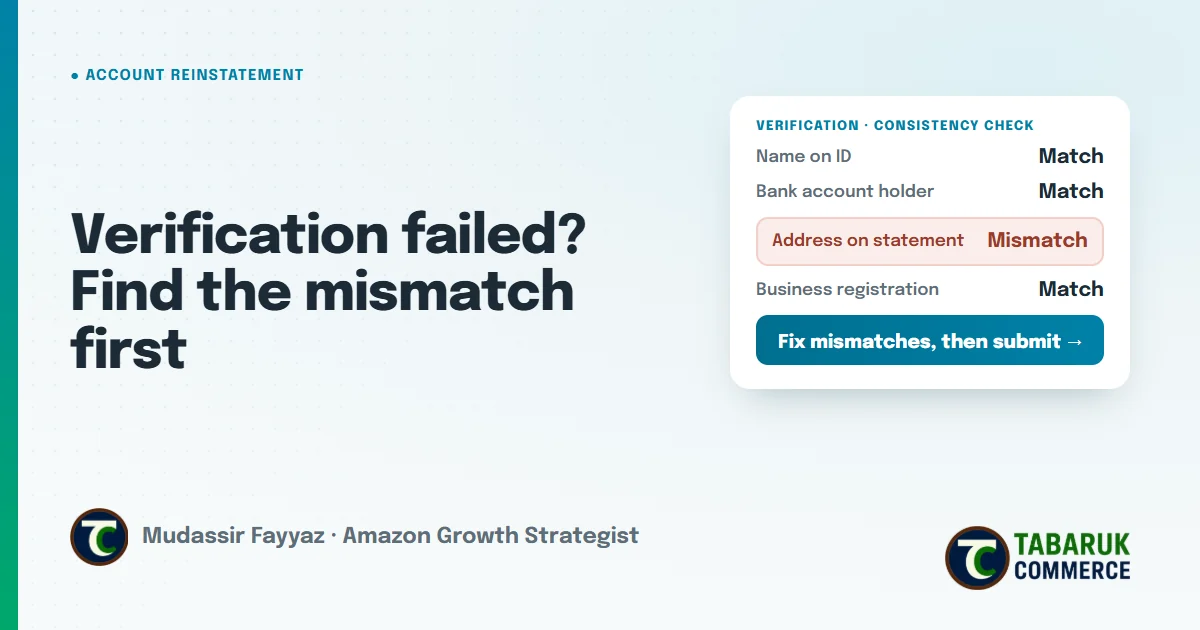
- Put every detail side by side. Compare your Seller Central details with each document: legal name, business name, address, date of birth, bank account holder name.
- Find every mismatch, not just the first one. Fixing one difference and resubmitting while another remains only uses up another attempt.
- Correct the source. Sometimes the account details need updating. Sometimes you need a newer or clearer document. Choose the fix that makes everything consistent.
- Check document quality before upload: full page visible, in color, readable, current and unedited.
- Prepare for a video call if one is requested: have the original documents ready, good lighting, a stable connection and a quiet place.
- Submit once, completely. Follow the instructions in Seller Central for resubmitting or appealing.
What not to do after verification fails
- Don’t resubmit in a hurry. Repeated submissions with the same problem make the case harder, not faster. One careful, complete submission is better than several quick ones.
- Don’t edit or alter documents. Changing a name, address or date on a document to make it “match” turns a mismatch into a much more serious problem.
- Don’t use someone else’s documents or details. The documents need to belong to the person and business actually running the account.
- Don’t open another account to get around the failure. That can create a related account problem on top of the verification problem.
- Don’t pay for guarantees. Be very careful with services that promise a guaranteed pass, “insider” approval or secret methods. Amazon makes the final decision, and no honest provider can promise it.
After you pass: keep your details consistent
Verification problems often come back when something changes: you move, change banks, restructure the business or add a new owner. When that happens, update your account details carefully and keep documents that support the change. A seller account is only as stable as the information behind it.
It’s the same principle we use everywhere in account management: diagnose the constraint first, then act.
Amazon account verification failed FAQs
Why did my Amazon seller verification fail?
The most common reasons are names or addresses that don’t match across your documents and account, documents Amazon couldn’t read or accept, the wrong type of document, or problems during a video verification call.
Can I resubmit documents after verification fails?
Usually, yes, by following the instructions in Seller Central. Before you do, check every detail against your account so the next submission fixes all the mismatches, not just one.
What happens on the Amazon verification video call?
You’re typically asked to show the original versions of the documents you submitted, so Amazon can confirm they’re genuine and belong to you. Have them ready, with good lighting and a stable connection.
Do my documents need to match exactly?
They need to be consistent with each other and with your Seller Central details. Differences in names, addresses or business details are one of the most common causes of failure.
Can a service guarantee my verification will pass?
No. Amazon makes the final decision. Avoid any service that promises guaranteed approval or special access.
Want a second pair of eyes on your case?
We handle verification and related-account cases in our Amazon account suspension and reinstatement service, starting with an honest case review before any work begins. For ongoing account protection, see our brand health and account support, or request a free Amazon account audit.

Mudassir Fayyaz is the founder of Tabaruk Commerce and an Amazon growth strategist. He manages 1P and 3P Amazon accounts across the US, Canada, UK, Germany, UAE, and Australia, with a focus on turning ad spend into net profit. Connect on LinkedIn.